
Best Workout Tracker Apps 2026: 10 Options Compared
The best workout tracker app is not the same for every athlete. A bodybuilder running a standard push/pull/legs split, a powerlifter following a scripted progression, a runner using GPS data, and a calisthenics athlete tracking planche holds do not need the same tool.
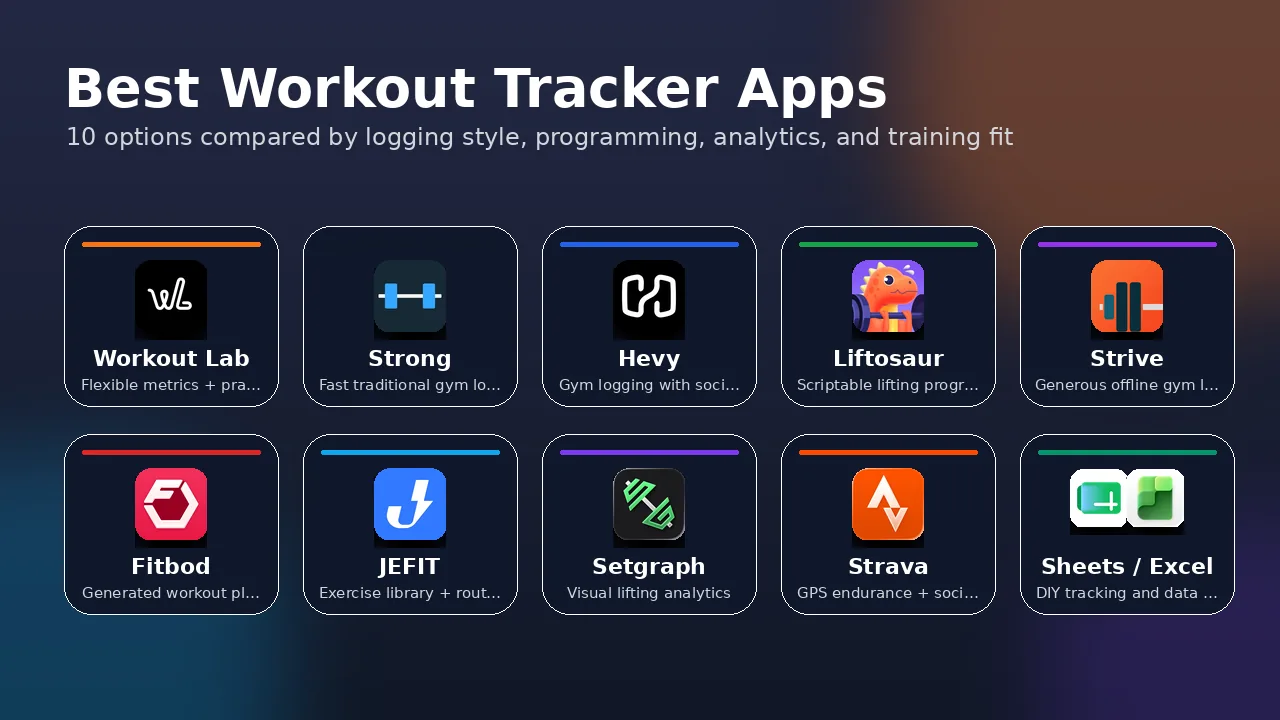
This 2026 workout tracker comparison covers Workout Lab, Strong, Hevy, Liftosaur, Strive, Fitbod, JEFIT, Setgraph, Strava, and spreadsheets such as Google Sheets and Microsoft Excel.
Please note that pricing, free tiers, and feature limits change often. The pricing table below uses the United States as the reference country where public US app-store or official pricing was available, so readers get concrete orientation numbers instead of only regional caveats. Verify in your local app store before subscribing.
Quick Recommendation
| If you want… | Start with… | Why |
|---|---|---|
| Flexible tracking for strength, calisthenics, mobility, carries, and mixed training | Workout Lab | Custom metric combinations and practical analytics are the core product. |
| Fast standard gym logging | Strong or Hevy | Both are polished for load/reps gym workflows. |
| Structured lifting programs and scripted progression | Liftosaur | Built around programming logic, Liftoscript, and established strength templates. |
| A generous free/offline gym log | Strive | Strong free-tier/no-ads/offline positioning for regular gym tracking. |
| App-generated workouts | Fitbod | The main value is adaptive workout generation. |
| Large exercise library and routine database | JEFIT | Stronger for exercise-library breadth and premade routines. |
| Visual analytics for conventional lifting | Setgraph | Good fit for gym-lift graphs and history filtering. |
| Running, cycling, GPS, segments, and social endurance tracking | Strava | Built around GPS/device telemetry and community. |
| Total DIY control and data ownership | Google Sheets or Excel | Maximum flexibility if you tolerate manual setup and logging friction. |
What a Workout Tracker Needs to Handle
Most workout apps were built around one dominant use case: sets, reps, and load in a gym. That covers many athletes well. It does not cover every training problem.
A serious tracker may need to represent:
- calisthenics holds, such as a tuck planche for 12 seconds;
- flexibility metrics, such as a pike stretch measured 8 cm from the floor;
- band-assisted progressions, such as pull-ups with -15 kg assistance, progressing toward 0 kg;
- carries and events, such as a farmer’s walk with 80 kg for 40 m;
- endurance or hybrid sessions, where time, distance, RPE, and strength work appear in the same week;
- structured strength programs with planned load increases;
- coach review, data export, or long-term progress analysis.
The best app depends on which of those jobs matters most.
Pricing and Availability at a Glance
| Option | Main platforms | Free tier / trial | Approximate paid pricing snapshot |
|---|---|---|---|
| Strong | iPhone, Android, Apple Watch | Free app with routine limits | Strong PRO: about $4.99/month, $29.99/year, or $99.99 lifetime. |
| Hevy | iOS, Android, web, Apple Watch, Wear OS | Free tier with logging and limited advanced features | Hevy Pro: about $2.99/month, $23.99/year, or $74.99 lifetime. |
| Liftosaur | iOS, Android, Apple Watch, web/editor | Free app with in-app purchases | Subscription: about $4.99/month, $39.99/year, or $99.99 lifetime. |
| Strive | iPhone, Android | Strong free-tier positioning; no routine/log paywall in official copy | Unlimited access in-app purchases are listed around $5.99, $39.99, and $119.99. |
| Fitbod | iOS, Android, Apple Watch, Wear OS | 7-day trial | Fitbod Elite: about $15.99/month or $79.99/year. |
| JEFIT | iOS, Android, web, watch support | Free tier with routines, exercise library, and community | JEFIT Elite: about $12.99/month or $69.99/year. |
| Setgraph | iOS, Android, Apple Watch | Free base app | Pro: about $4.99/month, $29.99/year, or $199.99 lifetime. |
| Strava | iOS, Android, web, GPS devices, Apple Watch | Free to use | Strava subscription: about $11.99/month or $79.99/year. |
| Google Sheets / Excel | Web, desktop, mobile | Google Sheets is free with a Google account; Excel web has a free tier | Spreadsheet cost is usually $0 if you already use Sheets/Excel; Microsoft 365 Personal is commonly around $9.99/month or $99.99/year. |
| Workout Lab | iOS, Android | Free tier | Workout Lab website pricing is listed in EUR: €3.99/month, €24.99/year, or €49.99 lifetime. |
Use this table for orientation, not as a final purchasing source. App-store pricing can differ by country, promotion, platform, and legacy subscription plan; the important point is the order of magnitude before you decide which apps are worth testing.
Strong

Strong is one of the most mature gym workout trackers. Its strength is not novelty; it is speed and polish. If you are logging conventional barbell, dumbbell, machine, or bodyweight exercises with sets, reps, load, notes, rest timers, and occasional RPE, Strong handles the job well.
Where Strong excels is the standard gym workflow. Templates, routines, warm-up tools, plate calculations, rest timers, notes, and CSV export make it practical for lifters who already know what they want to do. It is especially strong for powerlifters, bodybuilders, and general gym users who care about logging quickly during a session.
Where Strong is less suited is non-standard training. It supports custom exercises, but the core structure is still organized around conventional gym tracking. If your week includes a Jefferson curl measured by load, reps, and range of motion; a front lever measured by hold time and body position; a carry measured by load, distance, and time; and a mobility target measured in centimeters, Strong is not built around that kind of metric flexibility.
Best for: lifters who want a fast, polished, traditional gym log.
Not ideal for: athletes who need custom metric combinations across strength, mobility, calisthenics, conditioning, and sport-specific work.
Hevy

Hevy is similar to Strong in the core workout-logging workflow, but it leans more heavily into social features and community. It supports iOS, Android, web/desktop access, Apple Watch, and Wear OS, and the official feature pages emphasize sharing workouts, following friends, public profiles, routine sharing, and performance charts.
For standard gym training, Hevy is a strong option. The logging flow is clean, the free tier is useful, and the social layer is genuinely valuable if accountability, friends, or shared routines matter to you. Hevy also has gym-performance charts for volume, best weight, total reps, muscle distribution, set counts, and 1RM-style progress tracking.
The limitation is that Hevy is still mostly a gym tracker. It is not primarily designed for arbitrary metric combinations or mixed-discipline training systems. For many people, that is fine. If your training fits a normal gym model, Hevy may be enough.
Best for: standard gym users who want a generous tracker with social features.
Not ideal for: athletes whose training data does not fit the usual gym-log structure.
Liftosaur

Liftosaur is one of the strongest options for serious lifters who care about structured programming. Its official positioning is a free workout tracker and gym planner, but the important differentiator is programmability.
Liftosaur includes a web editor, built-in strength programs, automatic progression options, and Liftoscript, a plain-text scripting system for workout logic. Official materials describe programs such as 5/3/1, Starting Strength, GZCL variants, Texas Method, and other lifting templates. It also supports RPE, percentage-based work, rest timers, plate calculations, substitutions, body stats, and graphs for weight, reps, volume, and weekly muscle-group volume.
This makes Liftosaur a serious option for athletes who know they want a structured barbell or bodybuilding program. If your priority is following or customizing a lifting plan with progression logic, Liftosaur is one of the most focused tools in this comparison.
The tradeoff is scope. Liftosaur is strongest when your training can be described as a lifting program with clear progression rules. It is less naturally suited to people whose main tracking problem is representing many different exercise types and measurement formats across the same week.
Best for: structured strength training, power-user programming, and scripted progression.
Not ideal for: athletes whose main need is broad multi-modal tracking rather than lifting-program logic.
Strive

Strive — listed as Gym log - Strive in app stores — is an emerging gym-log competitor with a strong free-tier, no-ads, and offline-first message. It should not be confused with unrelated products using the Strive name.
Strive’s official app-store descriptions emphasize unlimited workout routines, workout plans, setting next workout weights/reps, exercise rest timers, placeholder exercises, custom keyboard input, RIR/RPE, effective reps, measurements, notes, personal records, warmup/drop/myo set types, advanced charts, deload markers, a personalizable dashboard, year-in-review, sharing workouts, Health Connect / Apple Health integration, and fully offline use.
That makes Strive relevant for anyone comparing modern gym logs, especially if price, offline use, and low-friction logging matter. For someone doing regular strength or hypertrophy training who wants a generous free app with charts and minimal lock-in, Strive may be a very good fit.
The main limitation is that Strive still appears to be organized primarily around gym-log workflows. That is not a weakness for its target user, but it matters if your training data includes many non-standard metrics, mixed disciplines, or sport-specific progress markers.
Best for: regular gym users who want a simple, generous, offline-friendly workout log.
Not ideal for: athletes who need broader multi-discipline tracking and metric combinations beyond the gym-log model.
Fitbod

Fitbod is different from most apps in this comparison because its main value is not just logging. Fitbod generates workouts based on equipment, available time, goals, experience, prior training, and muscle recovery estimates.
That is useful if you do not want to design your own program. Beginners and intermediate gym-goers often benefit from having a workout created for them, especially if they are otherwise guessing what to train next. Fitbod also supports Apple Watch, Wear OS, Health integrations, custom exercises, saved workouts, and offline use with documented caveats.
The tradeoff is control. If you are following your own periodized plan, a coach’s program, a calisthenics progression, a strongman block, or a mobility system, Fitbod’s generated-workout model may not be what you need. You can log custom work, but the app’s main advantage is the recommendation engine.
Best for: people who want the app to generate workouts.
Not ideal for: athletes who already know what they are training and mainly need accurate logging and analysis.
JEFIT

JEFIT is strongest when exercise-library breadth, routine discovery, and planning matter. Official pages emphasize more than 1,400 exercises, custom and pre-built routines, community access, workout plans, watch support, muscle recovery, 1RM and lifting charts, progressive-overload tools, and Elite analytics.
If you want a large database of exercises and routines, JEFIT has more of that ecosystem than newer apps. It can be useful for people who want to browse programs, build multi-week plans, and use an established gym-training platform with community features.
The weakness is that library size is not the same as flexible tracking. A large exercise database helps if the movement you need already exists and the metric structure fits. It helps less when the main problem is defining the measurement model for non-standard exercises.
Best for: exercise-library depth, routine discovery, and conventional gym planning.
Not ideal for: athletes whose main problem is representing non-standard training data clearly.
Setgraph

Setgraph is a fast gym tracker with a stronger data-visualization angle than many basic logbooks. Official materials emphasize real-time comparison against previous sessions, dynamic graphs, filtered set history, 1RM tables, progress graphs, visual calendar views, workout planning, notes, cues, instructions, Apple Watch support, Apple Health sync, and AI workout generation.
For standard lifting analytics, Setgraph is worth evaluating. If your main movements are barbell, dumbbell, and machine exercises, and you want cleaner visual feedback than a basic logbook gives you, Setgraph may fit well.
The narrower question is whether your training is standard enough for that model. If you need ROM tracking, negative-load band assistance, carry distance, skill hold duration, or cross-discipline goal tracking, a conventional lifting-graph workflow may become limiting.
Best for: standard gym trainees who want fast logging and better lifting graphs.
Not ideal for: athletes whose training metrics extend beyond conventional gym lifting.
Strava

Strava is not a direct replacement for a strength-training logbook, but it belongs in the comparison because many hybrid athletes already use it. It is strongest for running, cycling, hiking, walking, GPS/device-based training, routes, segments, clubs, challenges, kudos, leaderboards, and endurance-oriented analysis.
If your main training data comes from GPS devices and sport telemetry, Strava is hard to replace. Its social layer is also much stronger than anything a small workout tracker should try to imitate.
For strength, mobility, and custom exercise tracking, Strava is not the same kind of tool. It can record many activity types and integrates with devices and other apps, but it is not primarily designed around per-exercise metric combinations, custom progression systems, or detailed gym/mobility analytics.
For many athletes, the honest answer is that an endurance platform and a detailed strength log may solve different problems. Strava is strongest when the session is defined by route, pace, distance, elevation, segments, and device data.
Best for: running, cycling, GPS activities, endurance analysis, and social sport tracking.
Not ideal for: detailed strength, mobility, and custom exercise tracking.
Google Sheets and Excel

Spreadsheets deserve a place in this comparison because they are often the most flexible workout trackers available. A well-built Google Sheets or Excel workbook can track almost anything: volume, intensity, RPE, estimated 1RM, bodyweight, periodization, exercise selection, compliance, mobility range, coach notes, and custom formulas.
Their biggest advantage is control. You decide the data model. You can build formulas, charts, dashboards, pivot tables, coach reports, and long-term archives. Google Sheets is especially strong for sharing and collaboration. Excel has a very high analytics ceiling for people comfortable with formulas, charts, PivotTables, and structured data.
The downside is friction. A spreadsheet does not give you a native exercise picker, set-completion workflow, workout timer, previous-set prompts, app-native weekly report, or mobile interface designed for a sweaty gym session unless you build workarounds. Spreadsheets can outperform apps for custom analysis, but only if you are willing to maintain them.
Best for: coaches, data-heavy athletes, and spreadsheet-comfortable users who want total DIY control.
Not ideal for: low-friction phone-first workout logging.
Workout Lab

Workout Lab is built around a different premise: the tracker should adapt to the exercise, not force every exercise into the same load-and-reps structure.
Every exercise can be configured with the metrics that actually apply. The available metrics include:
- load, including bodyweight-style and negative-load use cases;
- reps;
- RPE;
- time;
- distance;
- ROM in centimeters.
That means a squat can track load, reps, and RPE. A front lever can track time and bodyweight. A Jefferson curl can track load, reps, and range of motion. A farmer’s walk can track load, distance, and time. A band-assisted pull-up can track assistance as negative load and move toward zero assistance over time.
This is where Workout Lab stands apart: it is not trying to be the biggest exercise library, the strongest social network, the most sophisticated GPS platform, or the most scriptable lifting-program editor. It is trying to make mixed training measurable.
Workout Lab is strongest when your training includes:
- calisthenics skills;
- loaded mobility or flexibility work;
- strongman-style carries and events;
- hybrid strength and conditioning;
- custom exercises;
- RPE and estimated 1RM tracking;
- goals across different metrics;
- weekly reports that help you understand what changed.
Its limitations are real. If you want premade programs, Liftosaur, JEFIT, Fitbod, or Setgraph may suit you better. If you want social sharing, Hevy or Strava are stronger. If you want a large exercise database, JEFIT is ahead. If you want total DIY control, spreadsheets still win.
But if your priority is logging what you actually do across multiple disciplines, Workout Lab is built for that niche.
Best for: athletes whose training does not fit one rigid template and who want flexible metrics plus practical analytics.
Not ideal for: users who mainly want premade programs, social leaderboards, or spreadsheet-level DIY customization.
What Happens to Your Data If You Switch?
Before committing to any tracker, consider what happens to months or years of logged workouts if you change tools. Training history is valuable because trends across 50 or 100 sessions reveal things that a few recent workouts cannot.
Data portability varies. Some apps officially support CSV export. Others expose data through app-store integrations, cloud sync, support requests, or limited export paths. Spreadsheets are naturally portable, but require more manual upkeep. Strava has strong activity-file and ecosystem support for endurance data, but it is not a gym-log database. Always check export/import options before building years of training history in one system.
A related question matters more than storage: does the app help you make decisions? A tracker that only stores workouts gives you an archive. A tracker that shows trends, flags changes, and connects data to goals gives you a feedback loop.
Best Workout Tracker App Comparison: Side-by-Side Features
| Feature / Fit | Strong | Hevy | Liftosaur | Strive | Fitbod | JEFIT | Setgraph | Strava | Sheets / Excel | Workout Lab |
|---|---|---|---|---|---|---|---|---|---|---|
| Fast gym logging | Excellent | Excellent | Good | Good | Good | Good | Excellent | Limited | Manual | Good |
| Premade / generated programs | Limited | Some routines | Excellent | Limited | Excellent | Strong | AI-assisted | Endurance plans | DIY | Limited |
| Social layer | Limited | Strong | Limited | Some sharing | Limited | Community | Limited | Excellent | Collaboration | Limited |
| Custom metric flexibility | Limited | Limited | Strong for lifting logic | Moderate | Limited | Moderate | Moderate | Activity-dependent | Excellent | Excellent |
| ROM / mobility tracking | No native focus | No native focus | Not core focus | Not core focus | Not core focus | Not core focus | Not core focus | Not core focus | DIY | Yes |
| Calisthenics skill tracking | Basic | Basic | Possible | Possible | Limited | Possible | Possible | Limited | DIY | Strong |
| Endurance / GPS tracking | No | No | No | Limited | Limited | Limited | Limited | Excellent | DIY/import | Limited |
| Weekly training feedback | Basic | Basic/good | Program and volume graphs | Charts | Recovery/program feedback | Analytics | Graphs | Subscription analytics | DIY | Strong |
| Data ownership / portability | CSV export | Check current export path | Check current export path | Check current export path | Check current export path | Check current export path | Check current export path | Strong for activities | Excellent | App-dependent |
| Best use case | Standard lifting | Social gym tracking | Structured lifting programs | Free/offline gym log | Generated workouts | Library + routines | Gym analytics | Endurance/social | DIY analysis | Mixed training metrics |
How to Choose the Best Workout Tracker App
Choose Strong if your training is mostly standard gym lifting and you want a mature, fast logging experience.
Choose Hevy if you want standard gym logging plus a stronger social layer and routine sharing.
Choose Liftosaur if structured lifting programs, scripted progression, and power-user planning matter more than broad multi-sport flexibility.
Choose Strive if you want a simple, generous, offline-friendly gym log for regular strength or hypertrophy training.
Choose Fitbod if you want the app to generate workouts for you.
Choose JEFIT if a large exercise library, routine database, and gym-planning ecosystem matter most.
Choose Setgraph if you want fast gym logging with stronger visual analytics for conventional lifting.
Choose Strava if your main training data comes from running, cycling, GPS devices, routes, segments, and social sport tracking.
Choose Google Sheets or Excel if you want full control and are willing to build and maintain your own system.
Choose Workout Lab if your training includes metrics beyond load and reps, or if you want practical analytics for mixed training rather than just a workout archive. See what tracking any sport looks like in practice, why the data you collect matters, and how to build a custom exercise library before choosing a tool.
Download Workout Lab to see how flexible metric tracking and weekly reporting change how you interact with your training data.
Commencez à suivre vos progrès
Transformez vos données d'entraînement en informations exploitables avec Workout Lab.
Commencer gratuitementArticles similaires
Your Workout Week in Data: How Automated Weekly Reports Surface What's Actually Happening
A weekly workout report surfaces volume trends, RPE patterns, and Est. 1RM trajectory automatically. Here's what to track and how to act on it.
Why Your Workout App Needs a Custom Exercise Library (And What to Look For)
A custom exercise library workout app lets you define metrics per movement. Here's what separates deep implementations from shallow ones, with setup examples.
What Is Estimated 1RM and How Should You Use It in Training?
Estimated 1RM meaning explained: the formulas, their accuracy limits, and how a continuously tracked estimated max is more useful than a one-time test.