Workouts & Routines (Start page)
Learn how to start workouts, build routines, manage exercises, and track your sets in real-time.
The Start Page is your central hub for initiating workouts and managing your routines. From here, you can launch a quick workout, access saved routines, or create new exercises.
Quick Start
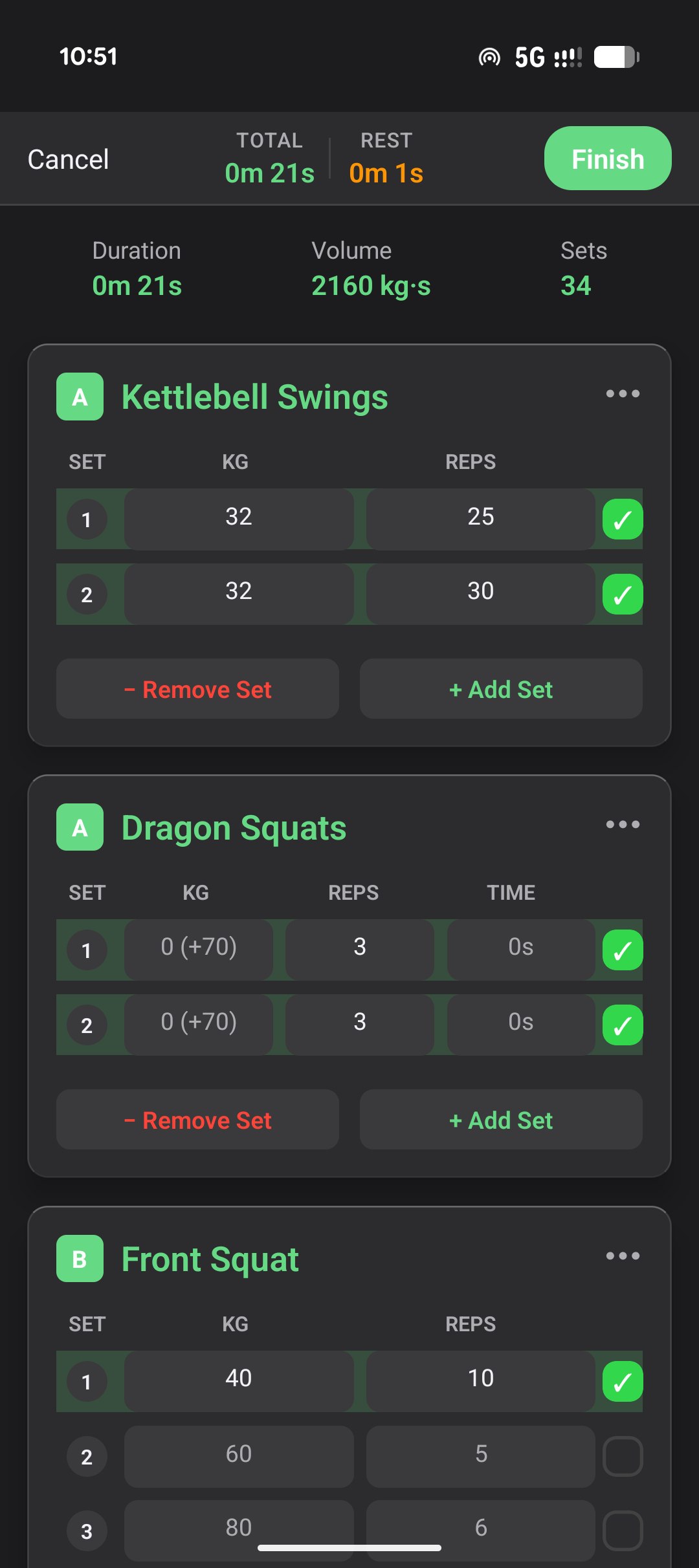
The Quick Start feature allows you to begin a workout immediately without a pre-defined plan. This is ideal for unplanned sessions where you still want to log your progress.
- Tap Start a Quick Workout.
- Add exercises as you go using the search bar.
- Log sets, reps, and load in real-time.
Workout Execution
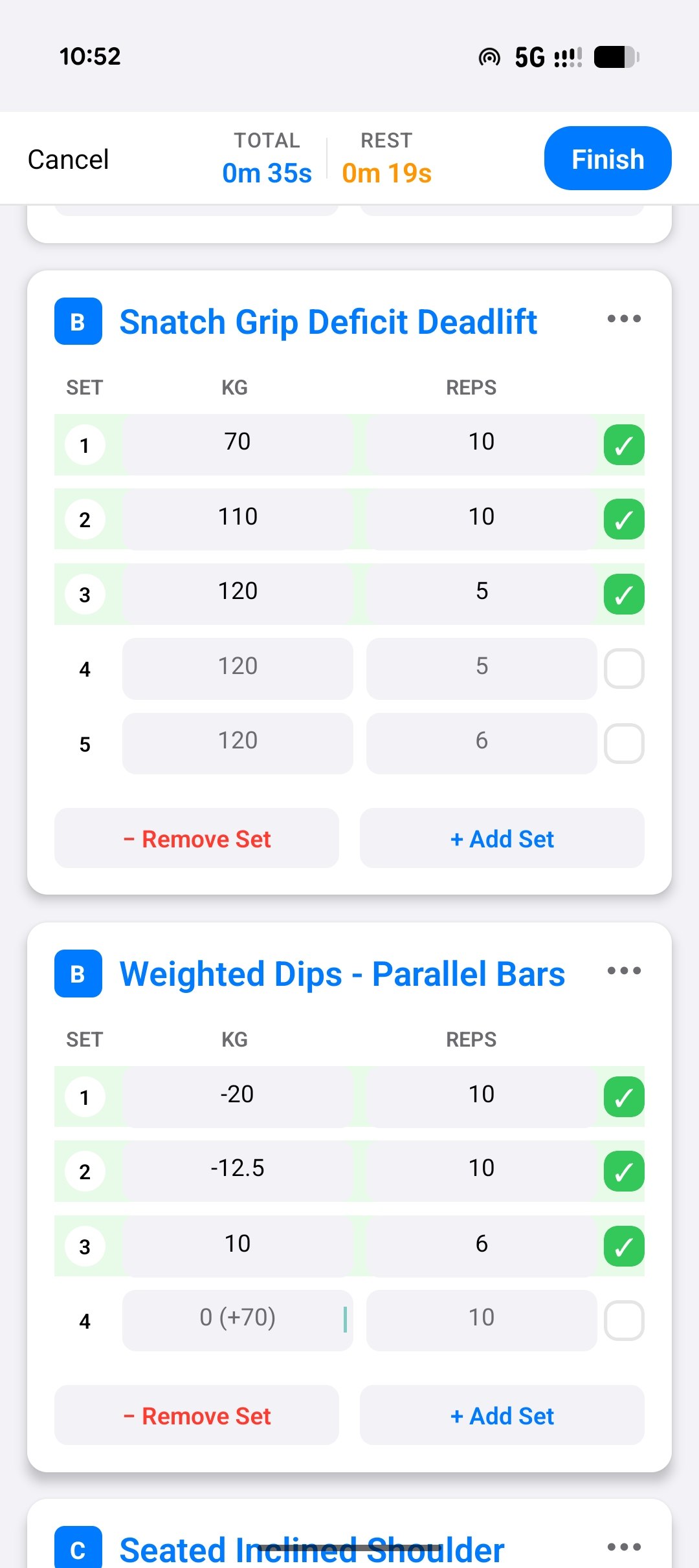
Once a workout has started (either via Quick Start or a Routine), you have several powerful tools at your disposal:
Adding Data
-
Exercises: Search and add exercises like “Barbell Rows” or “Bench Press”.
-
Sets & Reps: Input the load (e.g., 90kg) and the number of repetitions performed.
-
Check Sets: It is crucial to check the box next to each set after completion.
- Important: Sets not checked will not be saved. Unchecked sets will negatively impact your adherence score.
-
RPE (Rate of Perceived Exertion): After checking a set, you will be prompted to rate how hard the set felt on a 1-10 scale:
RPE Meaning Reps in Reserve 10 Maximum effort 0 (couldn’t do another rep) 9 Very hard 1 rep left 8 Hard 2-3 reps left 7 Moderate 4+ reps left - Note: Only sets with RPE ≥ 8 contribute to hypertrophy and strength analysis in the weekly reports, as research shows proximity to failure is required for optimal stimulus.
Supersets
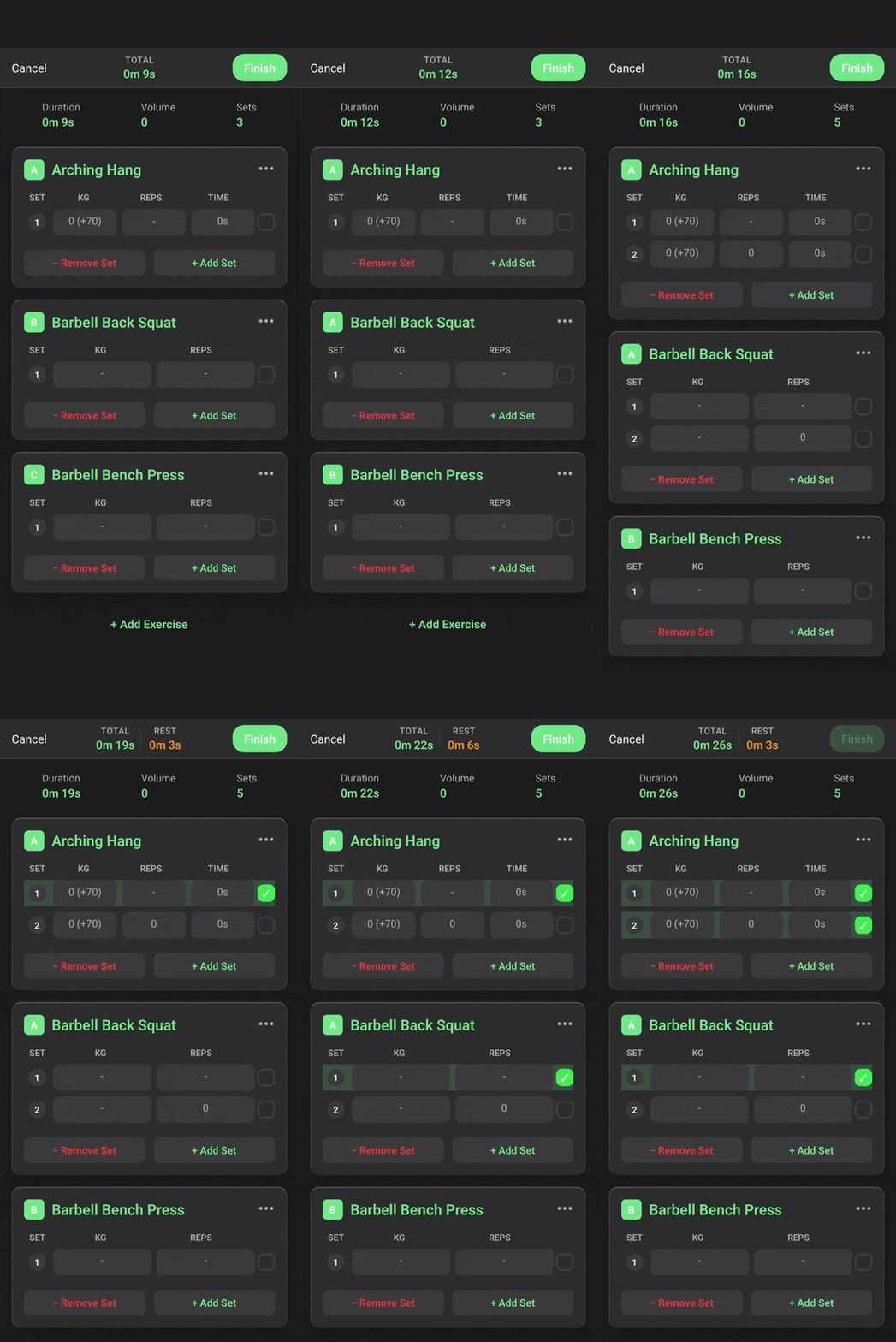
To superset two exercises (e.g., Barbell Rows and Bench Press):
- Tap the letter next to the exercise name (e.g., “A”).
- Both exercises will be linked.
- The Rest Timer will only reset once you complete a set for the entire superset block, not between individual exercises within the superset.
Reordering Exercises
You can modify the workout structure at any time:
- Hold and drag an exercise to move it.
- Superset Logic:
- Moving an exercise into the middle of a superset will link it to that superset.
- Moving it between sets will create a new, independent block.
Notes
Tap the three dots on the top right of an exercise to add specific notes (e.g., “Left elbow pain from rep 7 on”).
Finishing a Workout
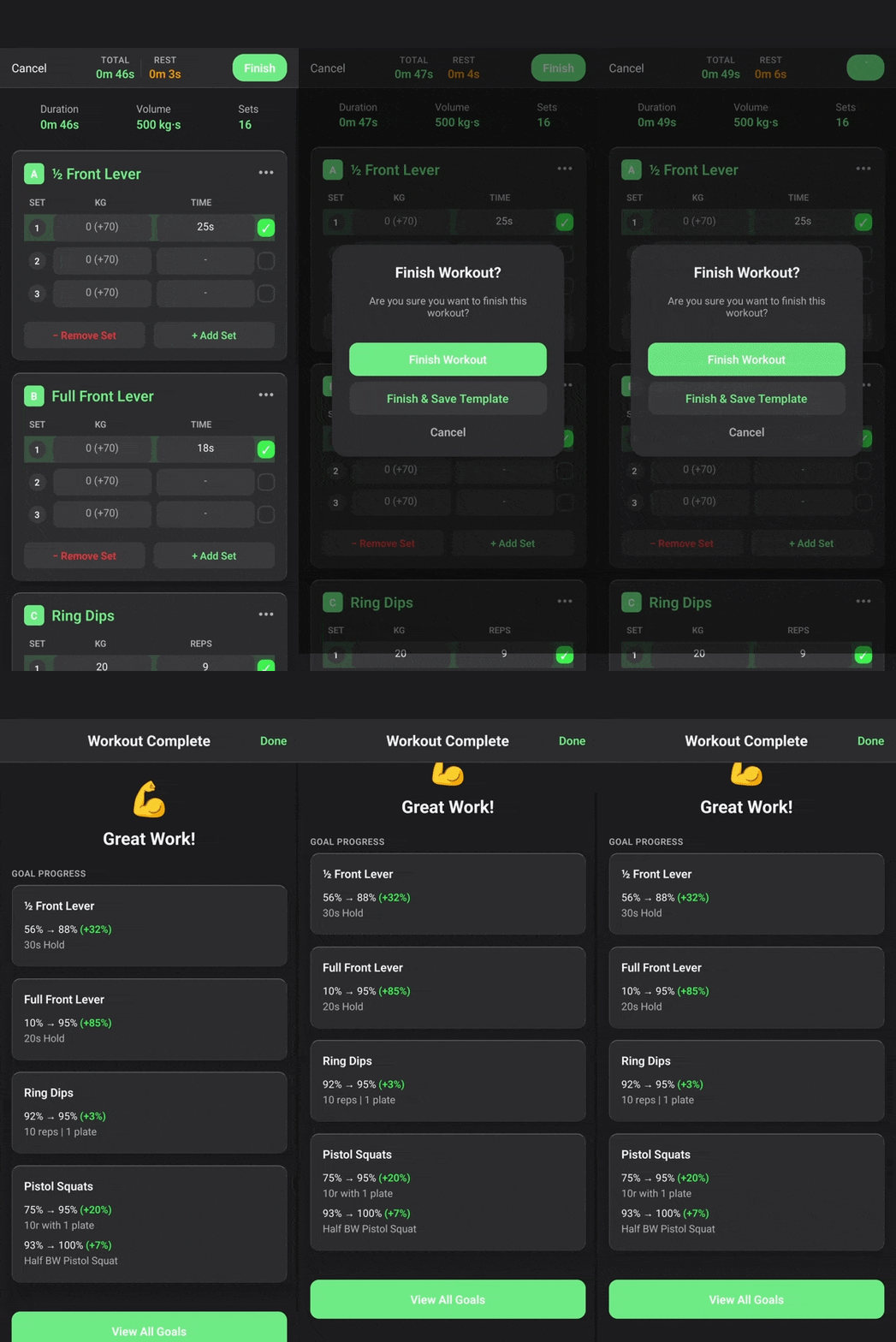
- Click Finish.
- Ensure all completed sets are checked.
- Review the summary before saving.
Routines
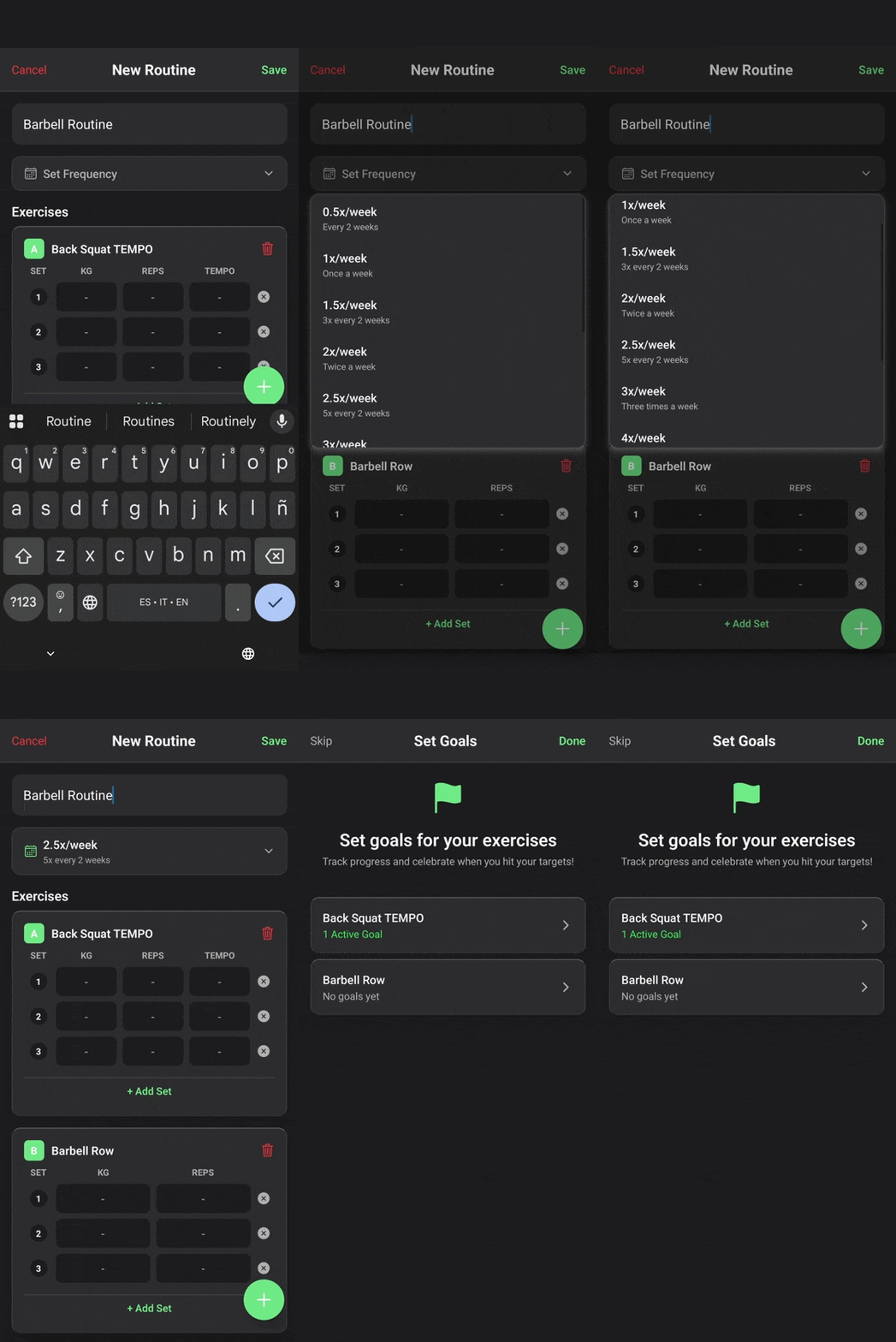
You can create and manage multiple routines for recurring workouts.
Creating a Routine
- Frequency: Set a goal frequency (e.g., 2 times/week).
- Target Values: Define your goal load and reps for each exercise. During workouts, these appear as faded “ghost” numbers in the input fields, guiding you toward your targets without requiring manual entry.
- Reorder by Dragging: Organize exercises and supersets just like in an active workout.
Active vs. Inactive Workouts
Use the toggle on the workout card to mark it as Active or Inactive.
- Inactive: Workouts are not counted towards consistency or adherence reports (useful for vacations or injuries).
- Active: Workouts are expected to be performed according to their set frequency.
Exercise Library
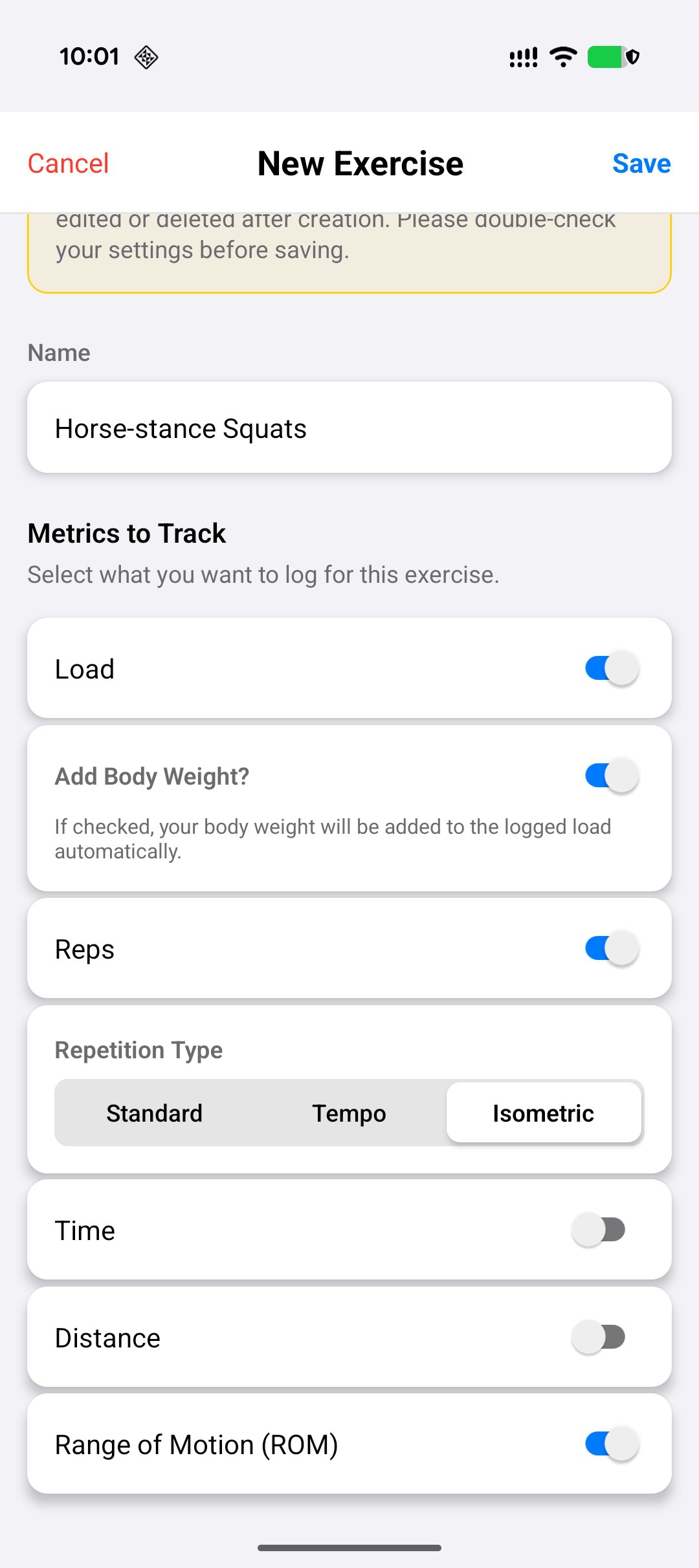
The app features a comprehensive exercise library. If an exercise does not exist, you can create it.
Creating New Exercises
Note: Exercises are public to all users. Please ensure accuracy to keep the library clean.
- Search First: Verify the exercise does not already exist (e.g., search for “Planche”).
- Create New: If not found, click Add New Exercise.
- Naming: Be descriptive (e.g., “Straddle Planche with Band”). Avoid redundancy (don’t name it “Squat” if “Back Squat” exists). Name the exercise in english if possible
- Metrics: Select relevant metrics to track:
- Load: For weighted exercises.
- Bodyweight: For calisthenics (can also subtract weight, e.g., using a band).
- Reps/Time/Distance: Choose the primary unit of measurement.
- Muscle Groups: Accurately select primary and secondary muscle groups.
- Primary: Targets the main movers (counted as 1 set in analysis).
- Secondary: Targets supporting muscles (counted as 0.5 sets).
- Save: Review all details carefully before saving, as public exercises cannot be modified later.